
What Arkanix does
Daily Active Directory work in the browser, from a password reset to an audit report. Every action shows up in the log, and access is granted through groups in your AD.
Domain overview
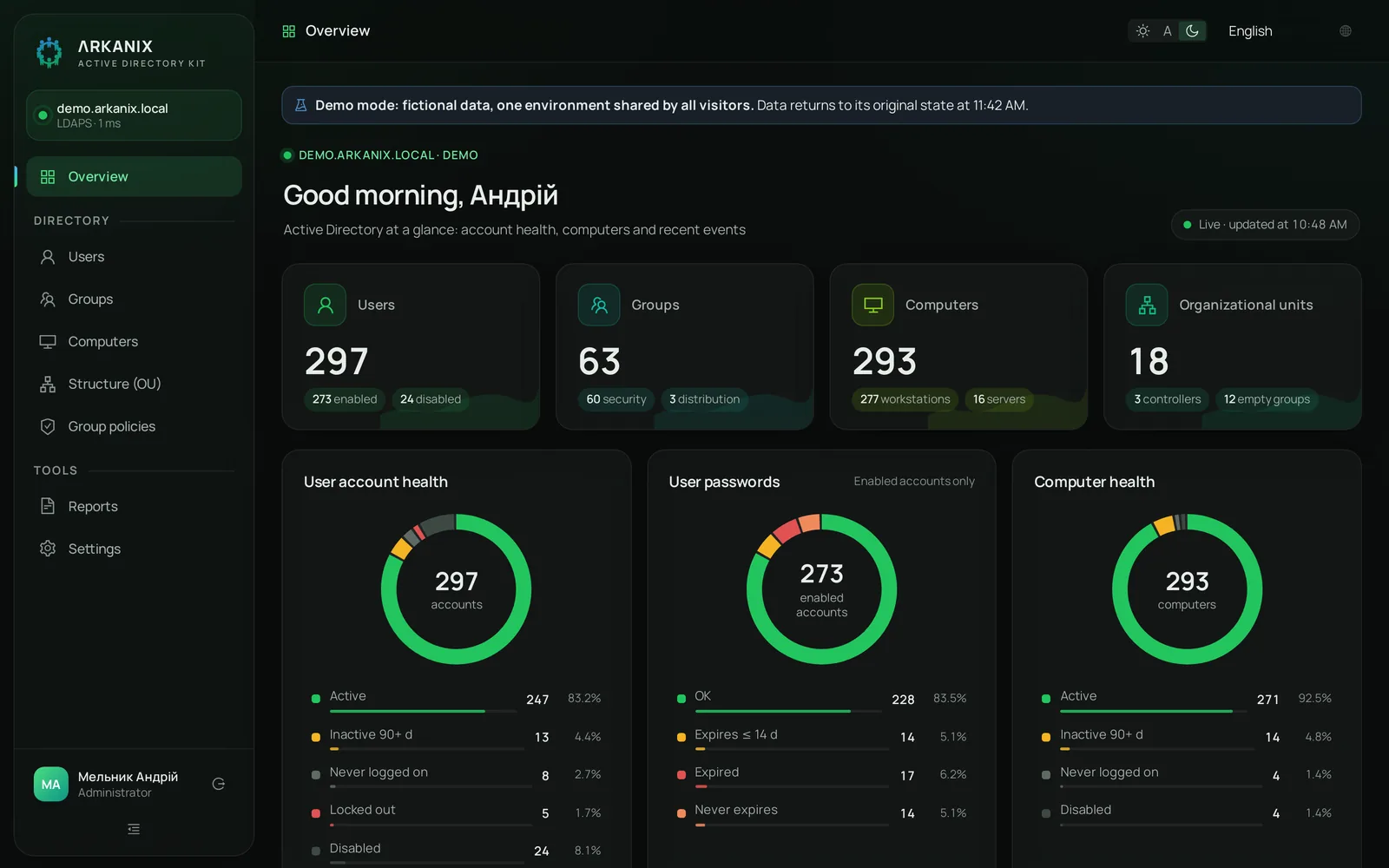
The home page shows the state of your domain: how many accounts are active, whose passwords expire soon, which computers haven't checked in for a while. Data refreshes every 30 seconds, less often on large domains so the controller isn't overloaded.
- Active, inactive, locked and disabled accounts
- Expiring, expired and non-expiring passwords
- Health of computers and domain controllers
Users
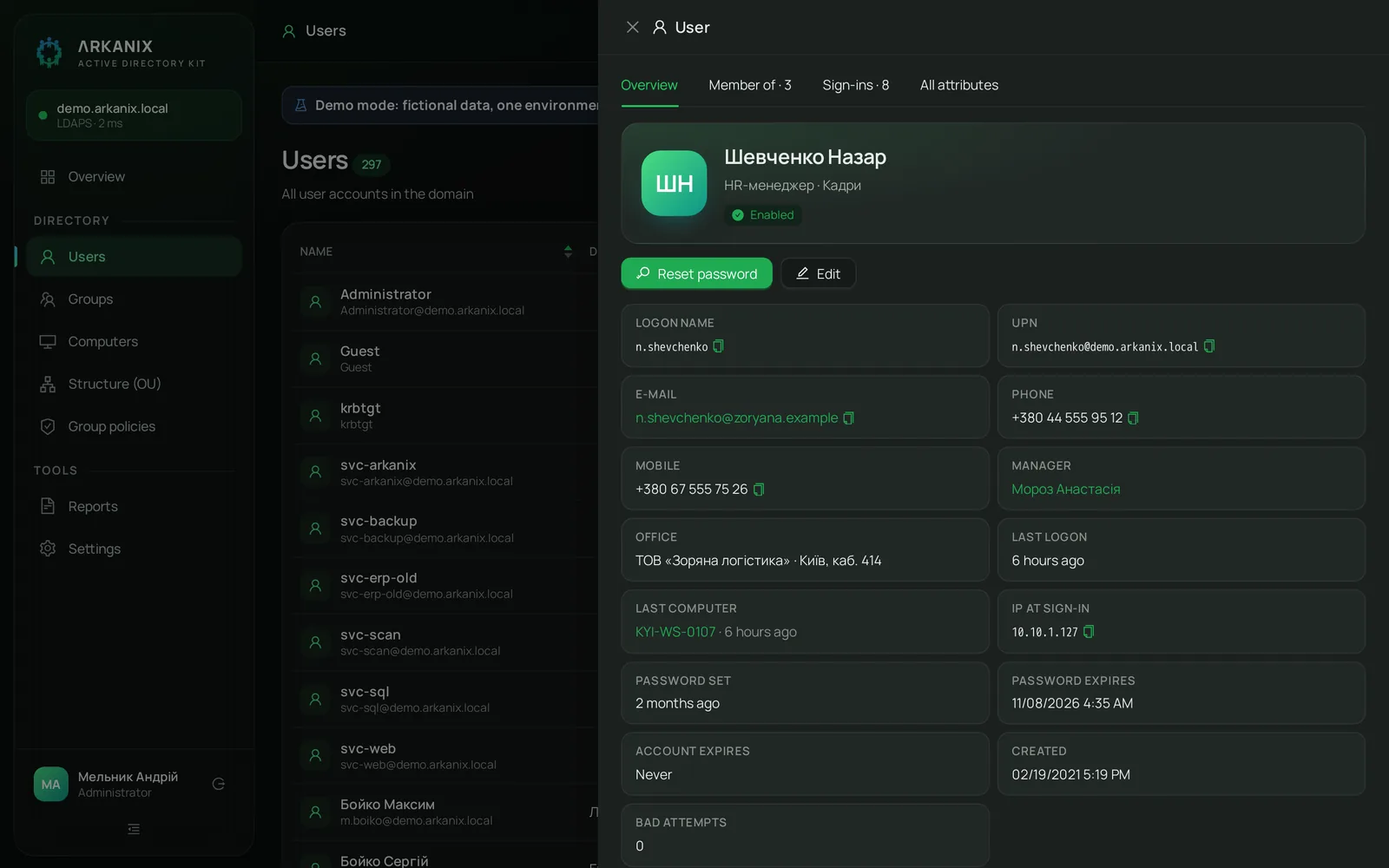
Search by name, login or email. The employee card brings together what you usually look up in three different windows: last logon, computer and IP, groups, password expiry, manager.
- Reset passwords and unlock accounts from the card
- New employee from a colleague's template: same groups and OU
- “Same groups as…”: copy another employee's group membership
- Edit attributes from an allow list, with nothing extra exposed
- Login and name transliteration by your own template
Groups and structure
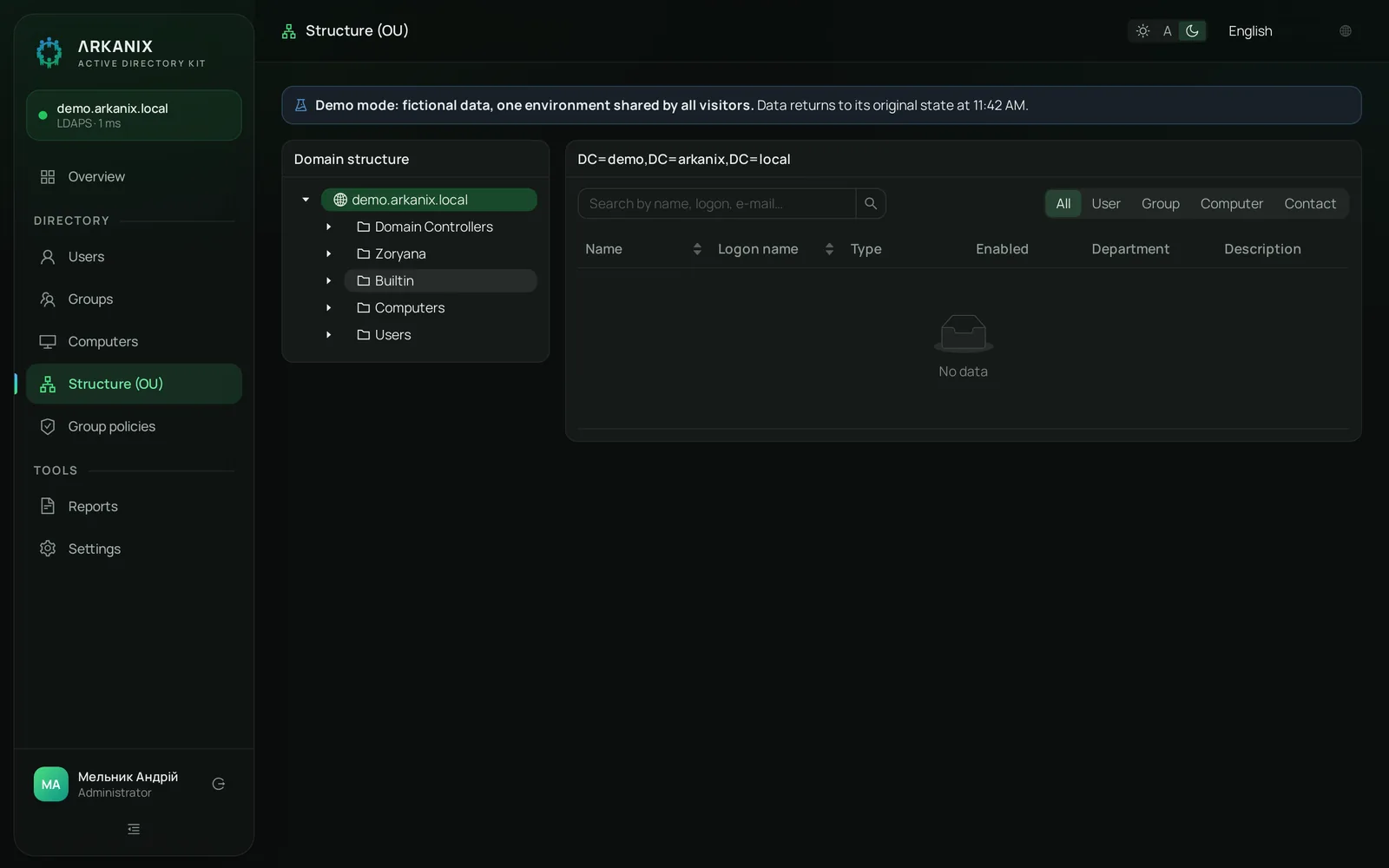
Group membership, nesting, privileged groups. The OU tree with object counts, and moving objects between OUs.
- Departments mapped to OUs
- Empty groups and distribution lists in their own filter
Computers, LAPS and RDP access
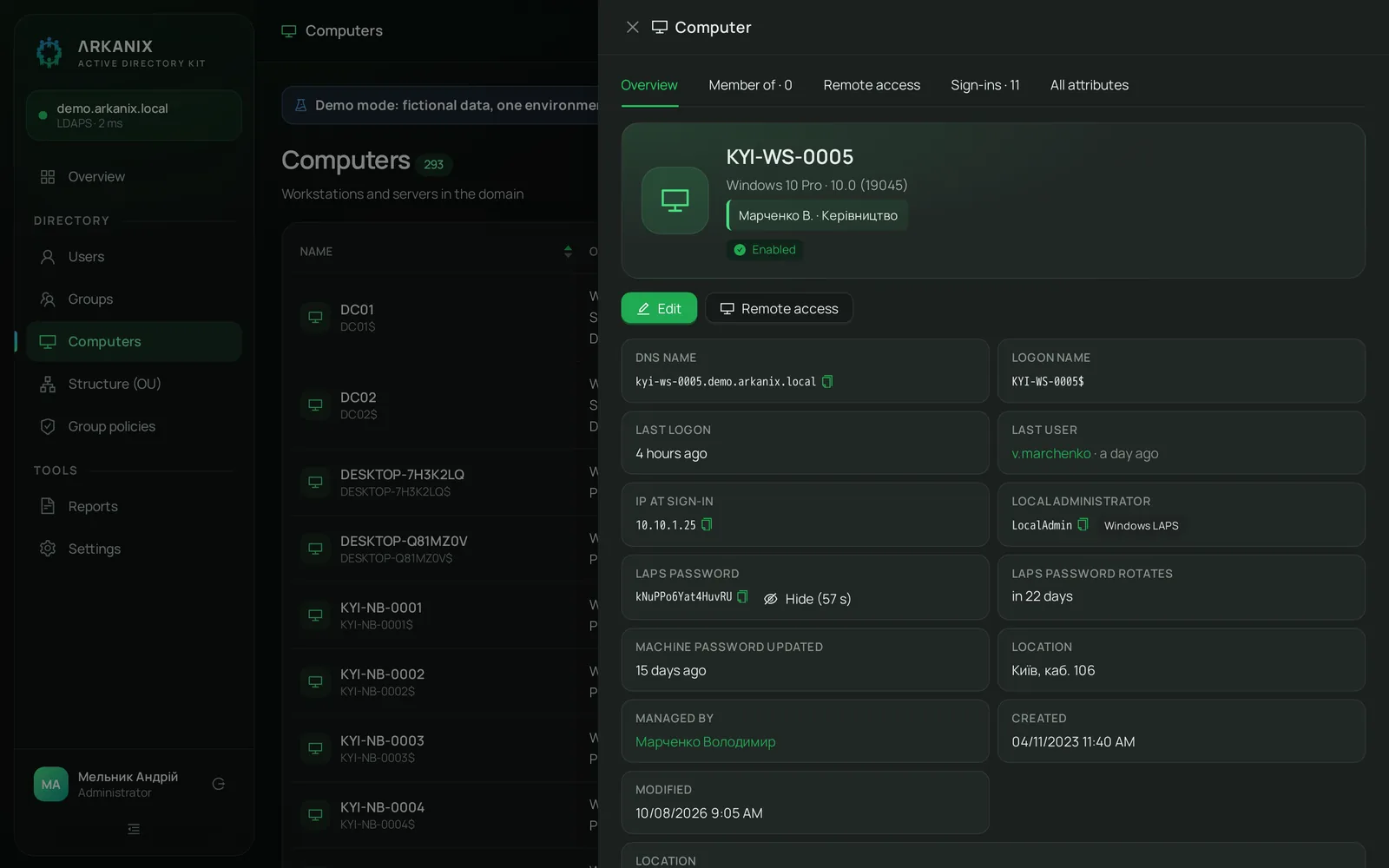
The computer card: OS, last user, the IP address the computer reported itself, the LAPS password.
- The LAPS password appears on a button press and hides again after 60 seconds. Every reveal is logged
- Supports Microsoft LAPS, Windows LAPS and encrypted Windows LAPS
- RDP access for a set period or with no end date: Arkanix revokes it on the end date and shows it in a report
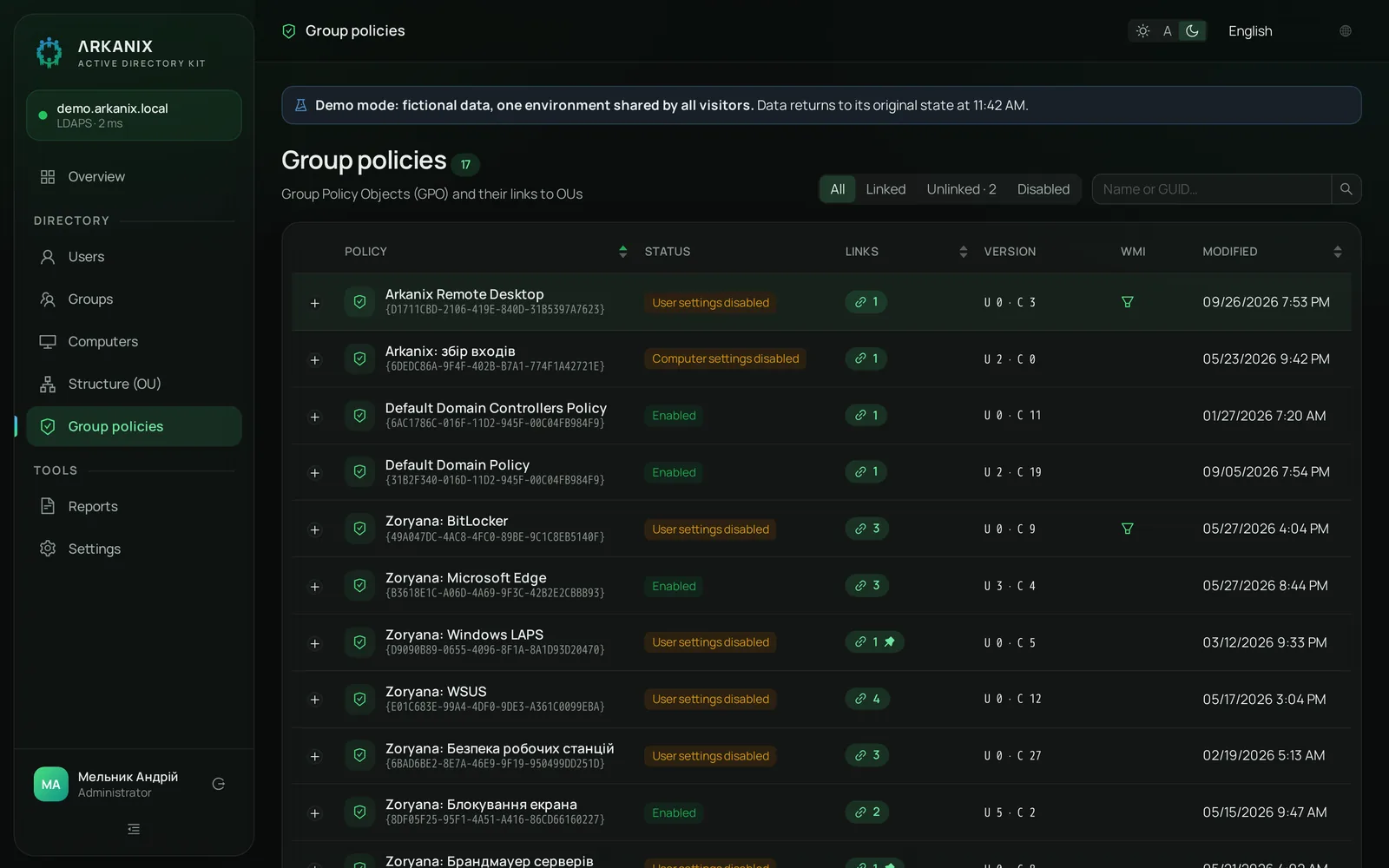
Group Policy
Every GPO in the domain, where it's linked and its status: enabled, disabled, empty.
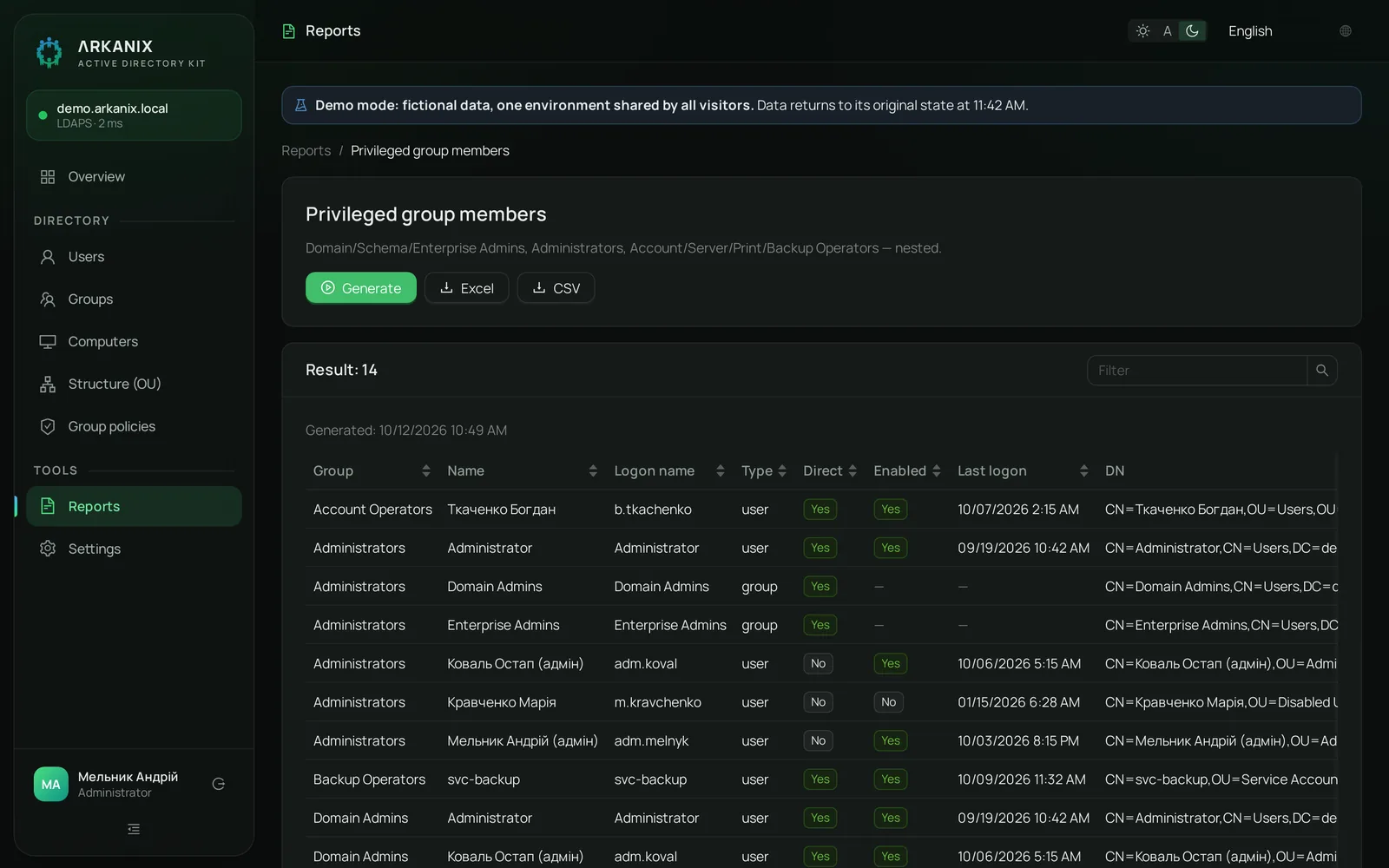
32 ready-made reports
Reports people usually build with PowerShell scripts open with one click and export to Excel or CSV.
All 32 reports
Users13
- All
- Disabled
- Locked out
- Inactive
- Never logged on
- Password never expires
- Password expiring soon
- Password expired
- Recently created
- Recently modified
- Account expiring
- Account expired
- Missing attributes
Groups4
- All groups
- Empty groups
- Group members
- User's groups
Computers6
- All
- Inactive
- Never logged on
- Disabled
- Outdated OS
- Domain controllers
Security9
- Privileged group members
- Protected accounts (adminCount)
- Password not required
- Users with SPN (Kerberoasting)
- Kerberos pre-auth disabled
- Reversible password encryption
- Unconstrained delegation
- Password policies
- Remote access (RDP)
Roles and audit log
Admin
Everything, including settings and the log
Helpdesk
View, reports, password resets and unlocks
Auditor
View only, reports and the log
Access is granted through groups in your AD. The audit log records every change: who, what, when and from which address.
Why Arkanix is easier than the usual tools
| RSAT, ADUC and PowerShell | Arkanix | |
|---|---|---|
| Where it runs | Windows with RSAT installed, or a session on a DC | Any browser in your network |
| Helpdesk rights | Usually more than they need | Helpdesk role: passwords and unlocks only |
| Reports | Script, CSV, manual cleanup in Excel | 32 ready-made reports, one-click export |
| Who changed what | Collect events from the controllers | Audit log in the interface |
| Temporary access | Granted, then forgotten | Revoked automatically on the end date |
| New employee | By hand, groups from memory | From a colleague's template |
AD access without extra risk
- The domain connection uses LDAPS only, and the controller certificate is verified
- The service account password is stored encrypted
- The service account only needs delegated rights on the OUs you choose, not Domain Admin
- Arkanix runs in your network and never sends directory data outside it
- Roles from AD groups and a log of every action
Installation and updates
The browser wizard connects your domain without editing files: it checks DNS, the port, the certificate and the service account. Updates use the same installer: unpack the new package over the old one, and your data and settings stay. Backup and restore take one command each.